Accu-Chek® Guide

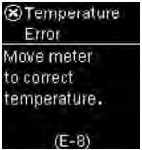
Error codes Temperature Error (E-8)

The temperature is above or below the proper range for the system. Refer to the test strip package insert for system operating conditions.
Move to an area with the appropriate conditions and repeat the blood glucose or control test. Do not artificially heat or cool the meter.

Product Support

Get the most out of your Accu-Chek products with support and troubleshooting tips.

Accu-Chek® Guide

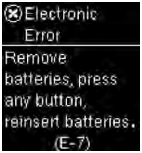
Error codes Electronic Error (E-7)

An electronic error occurred.
Remove the batteries, press and hold the Power/Set/OK button for at least 2 seconds, and reinsert the batteries.
Perform a blood glucose or control test.

Product Support

Get the most out of your Accu-Chek products with support and troubleshooting tips.

Accu-Chek® Guide

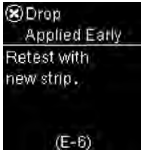
Error codes Drop Applied Early (E-6)

Blood or control solution was applied to the test strip before ""Apply drop"" appeared.
Discard the test strip and repeat the blood glucose or control test.

Product Support

Get the most out of your Accu-Chek products with support and troubleshooting tips.

Accu-Chek® Guide

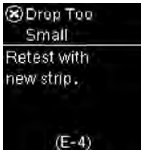
Error codes Drop Too Small (E-4)

Not enough blood or control solution was drawn into the test strip for measurement or was applied after the test had started.
Discard the test strip and repeat the blood glucose or control test.

Product Support

Get the most out of your Accu-Chek products with support and troubleshooting tips.

Accu-Chek® Guide

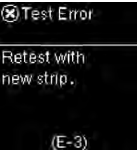
Error codes Test Error (E-3)

A meter or test strip error has occurred.

This error message could appear if the cap on the test strip container was not closed tightly. The test strips may have been damaged due to improper storage or handling.

Never make therapy decisions based on an error message.

Repeat the blood glucose test. If a second E-3 error message appears, perform a control test with the control solution and a new test strip. See the section Performing a Control Test in the chapter Control Tests.

If you continue to receive an E-3 error message, use an alternate method for testing your blood glucose, such as a backup meter and test strip. If the alternate method gives an extremely high blood glucose result, or if an alternate method is not available, contact your healthcare professional immediately.

In rare cases, an E-3 error message may indicate that your blood glucose is extremely high and above the system’s measuring range. See the Unusual Blood Glucose Results section in the chapter Blood Glucose Tests for other possible causes of the error message.


Product Support

Get the most out of your Accu-Chek products with support and troubleshooting tips.

Accu-Chek® Guide

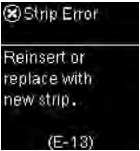
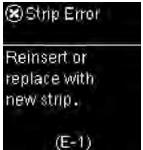
Error codes Strip Error (E-1)

The test strip may be damaged, not properly inserted, or was previously used.
Remove and reinsert the test strip or replace it if damaged or previously used.

Product Support

Get the most out of your Accu-Chek products with support and troubleshooting tips.

Product Support

Get the most out of your Accu-Chek products with support and troubleshooting tips.

Accu-Chek® Guide

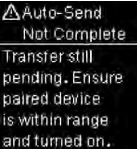
Error codes Auto-Send Not Complete

The blood glucose result has not been sent to the default paired device. The transfer is still pending.
Place the meter and paired device closer together.

Product Support

Get the most out of your Accu-Chek products with support and troubleshooting tips.

Product Support

Get the most out of your Accu-Chek products with support and troubleshooting tips.

Accu-Chek® Guide

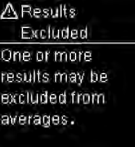
Error codes Results Excluded

One or more blood glucose results are excluded from the selected averages because the results are invalid or outside the system measuring range.
Product Support

Get the most out of your Accu-Chek products with support and troubleshooting tips.